Binarium Demo: practice without a cash deposit
The Binarium demo account is an area for learning the order workflow with virtual funds. The operator’s English FAQ places access after account registration and says no deposit is needed for practice. A demo balance is not a cash wallet: simulated winnings cannot be withdrawn or transferred to a bank.
A free account is separate from paying into Real.
The USD example differs from some localized denominations.
Do not assume the active account remains unchanged.
What does the $10,000 practice balance mean?
The published English support FAQ gives $10,000 in virtual credit immediately after registration for its dollar-denominated example. That is a learning balance, not a starting investment, sign-up reward you may cash out, or a guarantee that every currency version uses the same numerical amount.
A separate operator localization uses another denomination, while the historical EUR-account captures on this site are not evidence for a present USD screen. Always check the symbol and balance on your own active demo account rather than relying on a screenshot from a different market.
Virtual account
Practice funds illustrate position sizing, order submission and outcomes without a real-money debit.
Funded account
Actual balance, verification, deposits and withdrawals are separate matters covered on other pages.
Getting to the demo terminal
- Create or access your account
New visitors use the registration route; returning visitors sign in. There is no reason to create a second account to find the demo.
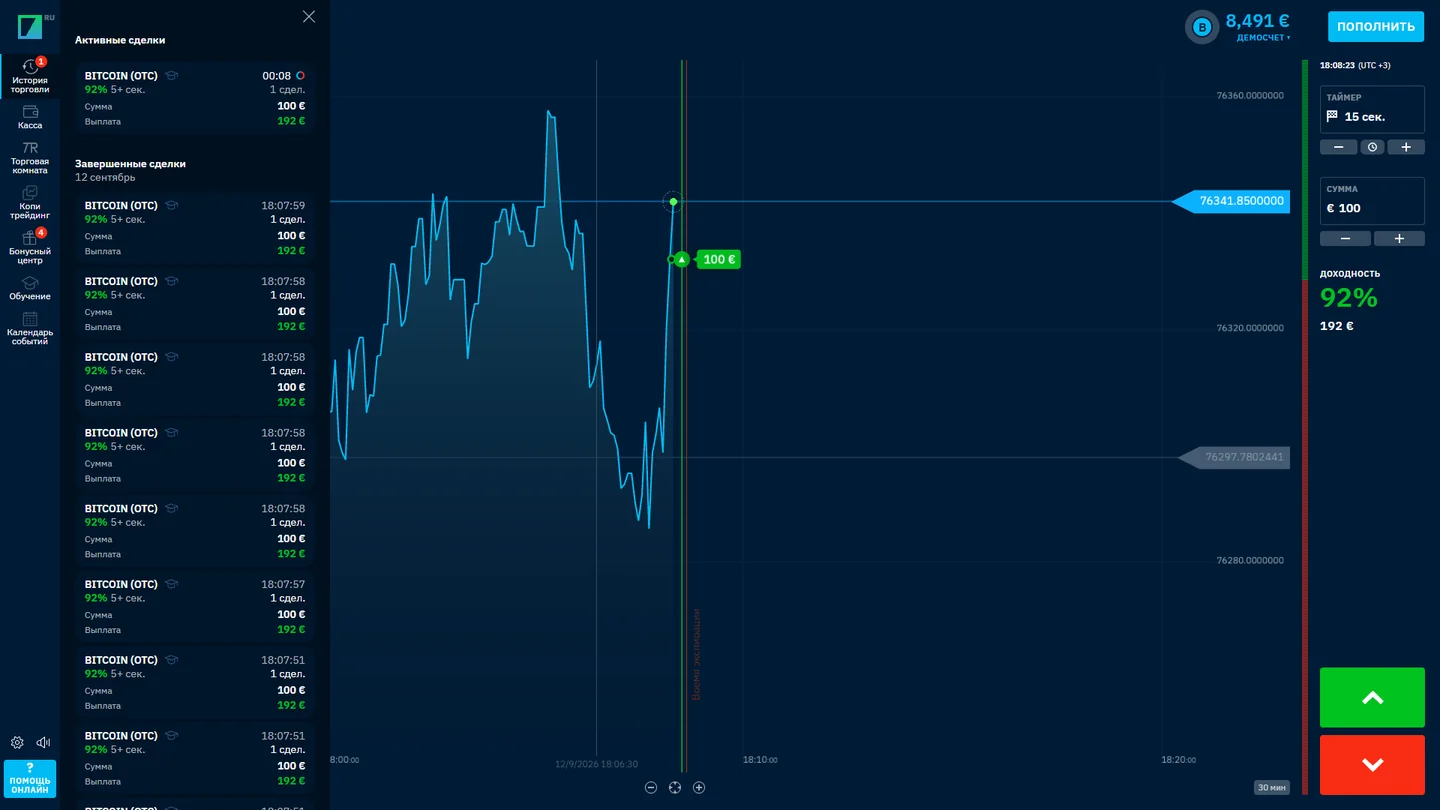
Media archived 12 September 2026; account currency and labels may vary. VIRTUAL-BALANCE VIEWThis old interface image illustrates how practice funds were shown in one account. It is neither a screenshot of a new English session nor proof that demo profits transfer into real money.
- Locate the account selector
The location of Demo and Real may differ between desktop and mobile layouts. Look for the actual account mode label.
- Choose Demo explicitly
Before testing Up or Down, confirm that the selected balance is virtual. Recheck this after a browser refresh or device change.
- Test a complete order cycle
Select the asset, amount, expiry and direction, then wait for settlement and inspect the result in the terminal.
A useful first session: three checks, not a winning streak
Rather than judging success by a handful of profitable virtual trades, use the demo to learn how the terminal actually behaves. First compare the displayed return rate to the monetary amount the ticket would pay; next check whether the expiry date and candlestick interval are different; finally open the outcome history to verify which time and amount were recorded.
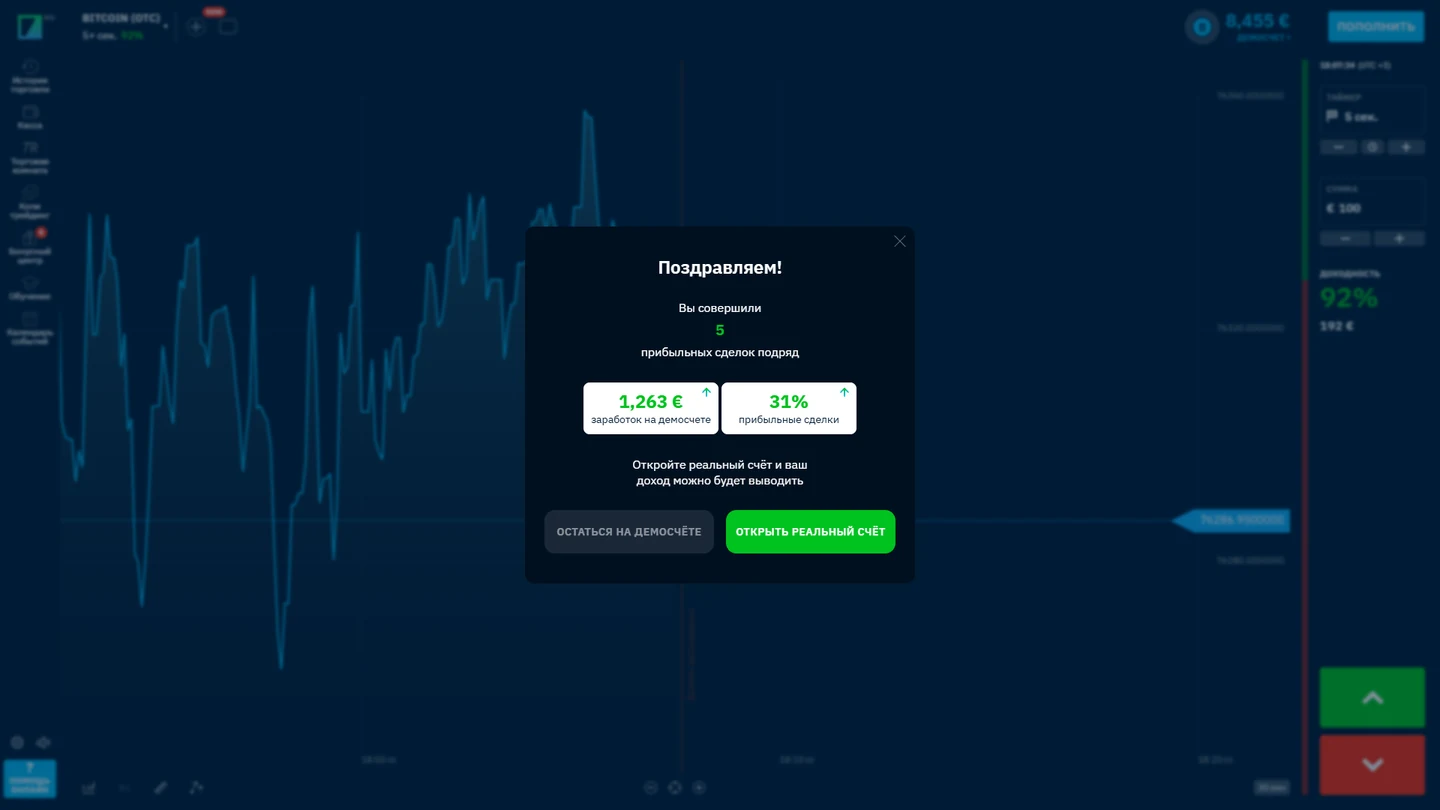
A result pop-up is evidence of an interface state, not a verified record of transferable earnings. Compare the selected demo mode and the trade history before drawing conclusions.
A reproducible practice-session record
For one virtual trade, record the selected mode, instrument, stake, expiration, displayed percentage and the completed-history result. Those fields make a training session repeatable. They do not identify a profitable method, since an isolated successful virtual trade cannot establish predictive accuracy.
- Before: confirm that the interface explicitly shows a virtual balance and note the intended expiration.
- After: compare the result notice with the history entry rather than reading only the chart color.
- Next session: check whether the available practice balance and reset option match the operator’s current conditions.
The loss-series calculator uses hypothetical sequences rather than drawing conclusions from your account’s demo history.
Order entry
Find the asset selector, investment amount, closing time and order direction. Avoid submitting from the wrong account mode.
Settlement review
Match the recorded order inputs to its final result. The interface matters more than a simulated win percentage.
Device continuity
Check whether the same essential controls remain clear in the mobile interface; do not assume identical placement.
The full explanation of order placement and the entry-cutoff line belongs in our Binarium trading-terminal guide, not in a duplicated registration tutorial.
When can you restore virtual funds?
Binarium’s English FAQ describes a conditional reset: the restoration option appears when the remaining demo balance is less than 50 times the minimum trade amount. The comparison is strict. A balance equal to the calculated threshold does not satisfy the wording.
For an example minimum order of 1 unit, the threshold is 50 units. A balance of 30 is below it; 50 or 51 is not. The actual minimum order value must come from your current account and currency.
Example: minimum trade 1 gives threshold 50; balance 30 is below it. This does not guarantee a reset button is available in the account.
Demo and Real look similar but are not interchangeable
Both modes teach something about navigating the platform, but only Real exposes deposited funds to actual trading losses. A virtual result never proves that a future funded position will win. More importantly, screenshots of either mode are not an authorization to use the service in every jurisdiction.
- Read the account label
Confirm that the terminal visibly says Demo before each practice action.
- Identify the units
Make sure the display is a virtual amount and check currency notation.
- Avoid accidental escalation
If a prompt offers deposits or a funded mode, treat it as a different task, not a requirement to continue learning.
- Separate checkout from practice
Funding methods and verification are handled via the account cashier, not needed for basic demo learning.
Practice in a browser or supported mobile app
On a compact screen, trading controls, menus and balance selectors may move or collapse. The operator FAQ mentions mobile access, but store availability varies. A verified app listing and platform availability for your region are separate questions.
Before switching to a phone, take note of your account’s selected mode and verify that the mobile screen still shows Demo. Use the mobile-app guide for installation questions, and the login guide for account recovery; this page does not ask you to enter credentials.
How other demo interfaces can differ
A useful comparison is the process of reaching practice mode, the clarity of the virtual account label and what an order ticket displays before submission. Our independent guide to the Quotex demo account describes a separate product, not another route into Binarium.
This editorial reference is here to explain different practice workflows. It is not a claim that either platform has identical execution, eligibility or terms. Verify the product you actually intend to use.
Resolve common demo-account obstacles
Open the case matching your screen. None of these steps asks for passwords, documents or wallet credentials on this independent site.
No virtual balance appears
Verify you are signed in, that registration was completed and that the Demo mode is selected rather than a real balance.
I cannot find the Demo/Real switch
Check the current account selector and collapsed mobile menu. If no selector exists in your interface, ask the operator.
The restore option is missing
Compare the current balance with 50 minimum-size trades, using the same currency and the operator’s current minimum order.
The practice amount is not USD 10,000
Localized and alternative-currency accounts may display a different denomination; do not convert a screenshot into a contractual promise.
The outcome differs from my prediction
Review order direction, expiration time and ticket history. A demo result is not a guarantee about any future position.
Questions about virtual trading funds
Do I need to fund a real account?
No. The operator says practice can begin after registration without a deposit.
Does a demo account require registration?
The operator’s published workflow describes demo credit following account creation; no-account access is not verified here.
Can I withdraw demo profits?
No. Demo balances and settlement results are virtual.
Why does the balance show a different number?
Your account currency or localization can differ from the English USD example.
Can the demo balance be reset at any time?
The published rule makes the option conditional on a balance below 50 minimum orders; unlimited instant reset is not confirmed.
Does the calculator connect to Binarium?
No. It compares the two numbers you type and makes no account request.
Is Demo safer than Real?
Demo avoids risking deposited capital in that mode, but practice outcomes are not evidence of success with real funds.
Move forward without mixing account functions
If the account is ready, focus on learning the order ticket and settlement timeline before considering any real transaction. Separate practice, sign-in, funding and risk calculations so that a short tutorial does not become a misleading checklist of everything the broker offers.