Getting back into your existing Binarium account
Signing in is different from opening an account. If you already registered with Binarium, the useful next step is to reach the operator’s login screen, choose your original sign-in method and recover your credentials if necessary. Creating another profile is not a shortcut: Binarium’s own FAQ permits only one active account per person.
Enter credentials with Binarium, not on this website.
Use the prompt on the operator’s login form.
Confirm where your browser is taking you.
Binarium Access publishes independent instructions. We do not process logins, ask for verification codes or display a replica of the operator’s form. The outgoing platform link is an affiliate link.
Three quick checks that prevent a failed login
Which email did you register?
Use the address associated with your active account. A password that works for an unrelated service will not authenticate a Binarium profile.
Did you use social sign-in?
If your account was created through a linked provider, select the same provider where that option appears. Different methods do not necessarily identify the same account.
Are you on the operator’s site?
The Russian login page checked during research was binarium.com/ru/login. Language and regional routes may differ; look for the legitimate operator rather than a third-party page that resembles it.
Email and password sign-in, from start to finish
- Open the platform.
Follow the published platform link and locate the sign-in screen on Binarium’s own site. An affiliate redirect may land on a general page rather than the exact login form.
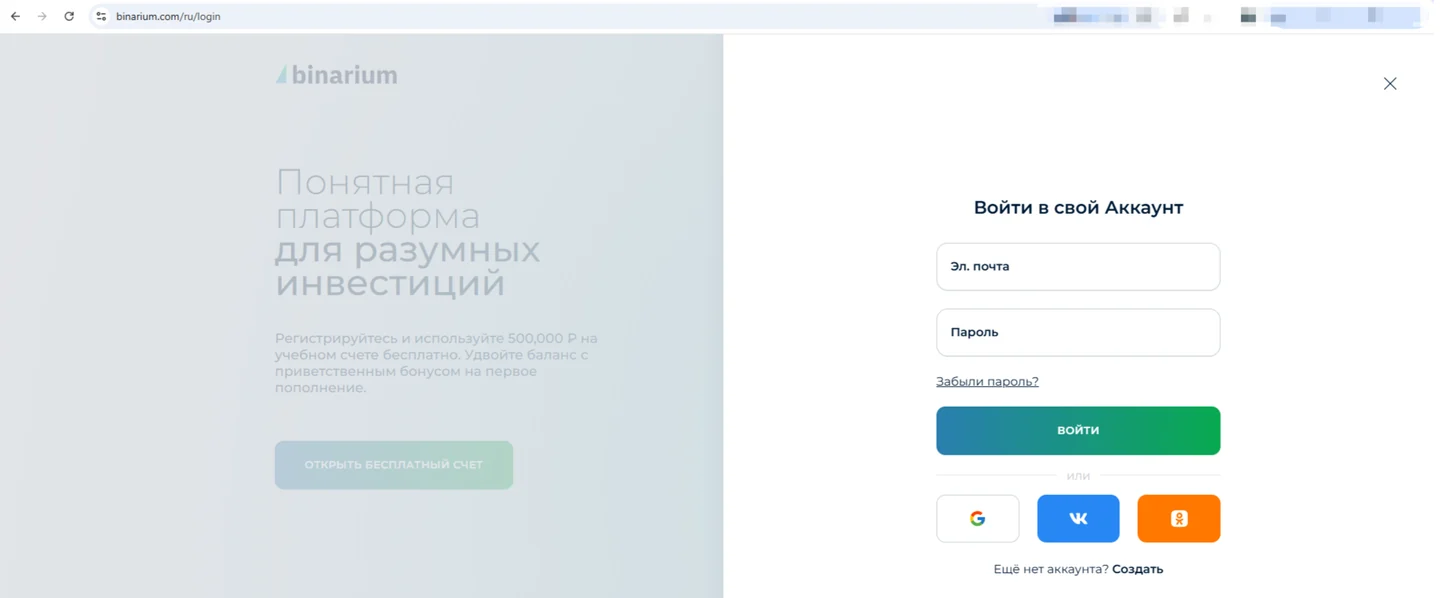
Original site’s media archive, uploaded 13 September 2026; not a new English-language capture. SIGN-IN EVIDENCEThe earlier Russian-language screenshot illustrates where an existing-account sign-in takes place. The current English interface and available social providers may differ; enter credentials only on the operator’s verified page.
- Provide the account email.
Double-check the spelling, especially when your browser autocompletes old credentials. Use the email that received your original confirmation message.
- Enter the password securely.
Check keyboard layout and saved-password selection. Avoid sharing your password with anyone offering to log in on your behalf.
- Submit and observe the response.
If you are taken to your account, proceed with your chosen task. If you see an error, use the recovery or troubleshooting route instead of opening an unauthorized second profile.
The Registration guide covers account creation, currency selection and email confirmation. This page intentionally concentrates on existing users.
Forgotten password: safe recovery without workarounds
The operator’s login interface offers a forgotten-password path. Start from that prompt and follow the instructions shown on Binarium’s website. You may need access to your registered mailbox to complete the process. We have not verified a universal expiry period for recovery messages, so there is no responsible basis for promising that a link lasts exactly 15 minutes or 24 hours.
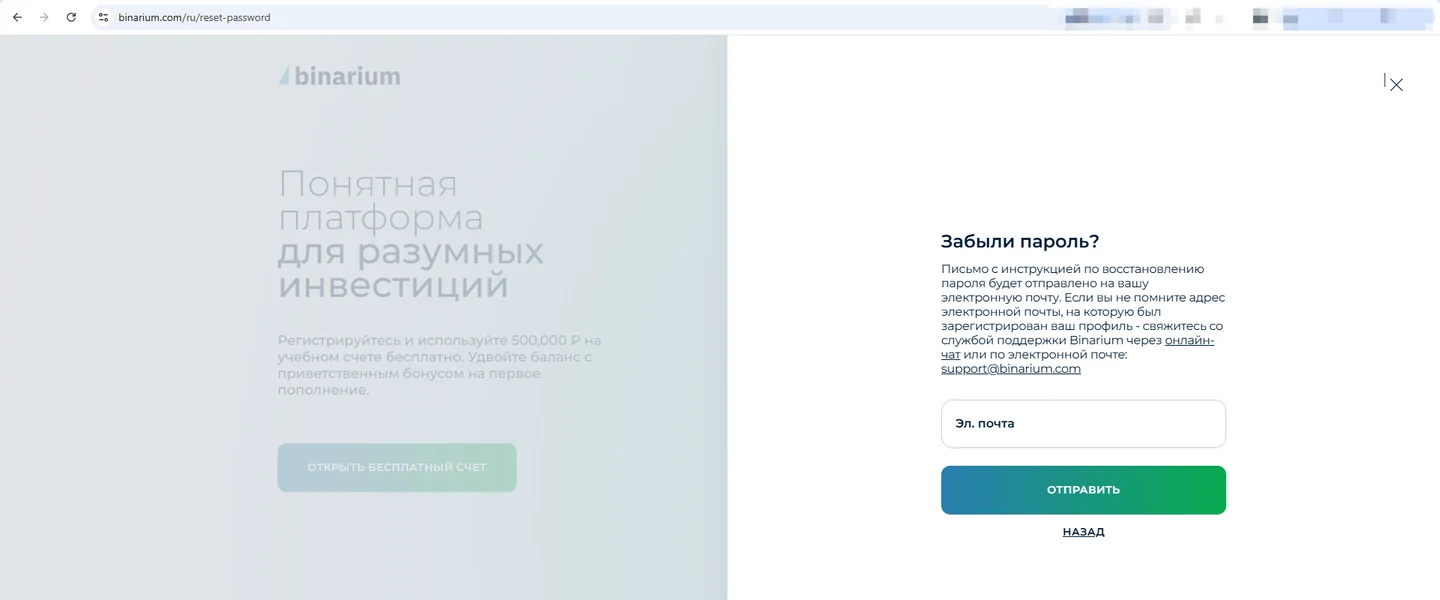
The reset form initiates an email-based recovery process; it is not a second account-registration form. Our site cannot send reset messages or inspect account credentials.
The email arrives
Read the instructions carefully and check the destination of the link before opening it. If the message asks you to reveal a password or code to an unknown person, do not comply.
The email does not arrive
Check spam, other inbox tabs and any filters. Recheck the account address. If the problem persists, use the operator’s customer support; never send them your password in a chat transcript.
Google and social-provider options: what is actually verified?
The currently checked Russian-language operator form displays Google, VKontakte and Odnoklassniki buttons. That is evidence for that particular form, not proof that every provider is offered to all English-speaking users. We therefore do not describe unverified Facebook sign-in, automatic account linking, or provider availability in a particular country as established facts.
When an external sign-in choice is shown in your live Binarium interface, only use the provider that you previously linked to your account. If a new-account screen appears unexpectedly, stop and verify the account association with support before proceeding.
Choose the issue that matches your screen
These answers explain common causes; the panel does not connect to Binarium or inspect your account.
My password is rejected
Confirm the account email, keyboard layout, Caps Lock and browser-saved password. If you cannot reliably identify the correct credentials, use the operator’s password recovery rather than repeated guesses.
I cannot open the login screen
Verify the website address, refresh the page and try a different browser. Some access issues are temporary; others depend on local restrictions. Do not treat a working alternative domain as confirmation that trading is lawful for you.
Social sign-in seems to create a different account
Check that you selected the original provider and the same provider profile. Contact Binarium support before allowing a duplicate active account to be created.
My account is restricted or a verification prompt appears
Read the on-screen explanation. A verification request is different from a wrong-password error. Share documents only through the operator’s verified process, never with an unknown intermediary.
The reset message has not arrived
Check spam and filters. Do not assume a particular delivery time. Contact support with a description of the problem, not your password or confirmation codes.
Signing in on mobile or desktop
For desktop users, a current browser is the natural starting point. On a phone, the operator also describes browser-based access; installing an app is not inherently required. If you prefer an app, verify the publisher and store listing using our mobile-access guide. An app listed in one country’s store may not appear in another.
If the virtual keyboard covers a form button, scroll rather than repeatedly tapping. Do not install unofficial APK files or grant unnecessary permissions just to complete a login.
A logged-in account is not the same as a funded account
Login grants access to your profile; it does not itself initiate a deposit, a trade or a withdrawal. Binarium offers products that can cause substantial losses, and availability is subject to account status and local rules.
Separate sign-in success from account eligibility
A successful sign-in confirms that the credentials reached an account. It does not prove KYC clearance, funding availability, a transferable demo balance or approval of a withdrawal. Troubleshooting those states as password errors sends users down the wrong path.
- Account opens; identity check appears: record the notice and consult the verification and payout guide.
- You expected a practice balance: verify that the terminal is in the virtual mode, rather than attempting a second sign-up.
- Different account appears after social sign-in: check which provider and identity were originally used; stop before creating a duplicate.
Our site cannot inspect account status. Only the operator’s authenticated support process can resolve a profile-specific restriction.
Keep your credentials on the correct side of the screen
One website for your credentials
Only the operator’s legitimate interface should request your login. This independent guide does not contain real email or password fields.
One active account
Binarium’s published FAQ says users may maintain one active account and must be at least 18 years old.
Check country restrictions
The operator says its services are not directed to residents of the US, EU, UK or Canada, among other restricted locations. A successful connection does not establish eligibility.
Binarium login FAQ
Does Binarium Access let me sign in?
No. We provide guidance and a commercial link to Binarium; authentication takes place with the operator.
Can I log in without creating a new account?
Yes, if you already have an active account. Use the original credentials or recovery procedure instead of registering again.
What should I do when I forget my password?
Use the forgotten-password function on Binarium’s login screen and follow the instructions delivered by the operator.
Are Google and other social buttons available everywhere?
No such global availability is confirmed. Several buttons appear on the checked Russian interface; confirm what is displayed in your location.
Can I sign in through a mobile browser?
The operator’s FAQ describes access from an internet-connected device using a browser.
Will signing in start a real-money trade?
No. Account access and placing a trade are different actions.
Why might access be restricted after a correct password?
Account verification, operator rules or local restrictions may apply. Read the platform’s explanation and contact support if needed.
Return to your Binarium account
Use the operator’s interface and the method linked to your existing profile. If you have no account yet, follow the separate sign-up instructions.
Independent website; affiliate link. Trading entails a material risk of losing capital. Country and age restrictions apply.